KB Article #3433
You can change your CollisionLink Security Question at any time. You must be logged into your account and know your current password to use this feature.
To change your CollisionLink security question:
- From CollisionLink menu, click Account Management.

- Click My Account.
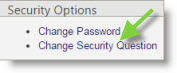
- Under the Security Options, click Change Security Question.
- Complete the following fields on the Change Security Question window:
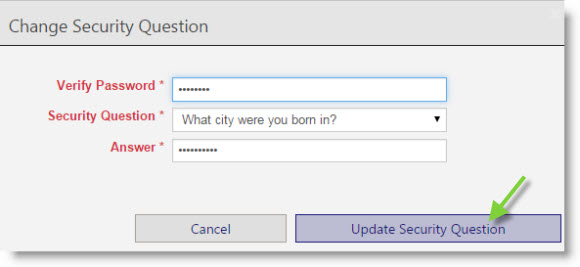
- Verify Password: Type in your current password.
- Security Question: Click the drop-down menu to select a new security question.
- Answer: Type in the answer to the new security question selected above.
- Click Update Security Question when done.